
A neighborhood is more than just a collection of houses and streets. It is a place where families grow, and neighbors become friends. Building a successful community association website brings those people closer together by creating a welcoming online home. However, starting a site can feel daunting for many volunteer board members. You might worry about technical skills or find yourself stretched thin by daily operations.
Recent data shows why clear communication is so vital. According to the CAI 2024 Homeowner Satisfaction Survey, 89% of residents are on friendly terms with their board. This is a great foundation for any community. Yet, a February 2026 survey by Platinum Home Builders found that 64% of HOA homeowners still report some level of day-to-day stress related to their association. Much of this stress comes from a lack of clarity. In fact, 91% of community leaders admit that communication is an active problem.
A great community association website bridges this gap. While a resident portal provides a private space for homeowners to log in and view personal data, your public website acts as the digital face of your neighborhood. When you provide a site that is easy to navigate and full of useful information, you reduce stress for everyone. You stop printing paper newsletters and start posting real-time updates for the whole world to see. This saves money, builds trust with future buyers, and keeps your neighbors informed. Here are the two key things you must know to build a site your residents will actually want to use.
How to Make Your Community Association Website Easy to Use
Usability is the heartbeat of a great website. If a visitor cannot find what they need in a few seconds, they will leave the page. Confusing layouts push residents to call the office or email the board, which creates more work for you. You want to empower your neighbors to find answers on their own.
Choose a Clear Template
The simplest way to start is by using hoa website software that offers pre-made website templates. You do not need to be a tech expert or hire an expensive developer. A good template lets you pick a professional design and add your own text.
The Don’ts of Templates:
- Don’t pick an overcrowded layout. Too many buttons or flashing images distract the eye.
- Don’t use a design that hides the search bar. People want to type a keyword and find a form immediately.
Pick a layout with clear sections for events, news, and contact forms. A clean design makes your association look professional and organized.
Create a Readable Menu
Your menu is the map of your site. It helps HOA members and potential buyers find their way around without getting lost. If you have a tab labeled ‘News,’ it must lead straight to recent updates. Using logical labels is the best way to build trust with your users.
The Don’ts of Menus:
- Don’t use tiny fonts. Many residents may have trouble seeing small text on a screen.
- Don’t use light gray text on a white background. Low contrast makes reading a chore.
Choose high-contrast colors and large, simple fonts. This ensures that every neighbor, including seniors, can use the site with ease.
Organize Your Digital Home
Imagine walking into a friend’s house and tripping over shoes, tools, and kitchen appliances. You would likely want to turn around and leave right away. A disorganized website feels exactly like a cluttered room. You must group your content into logical categories. Put all architectural forms in one folder. Keep all board meeting minutes in another. A tidy site shows your residents that you value their time and their peace of mind.
How to Make Your Community Association Website Useful
Once you have a beautiful layout, you need a reason for residents to keep coming back. A pretty site with no content is like an empty house. You must fill it with details that matter to the daily lives of your homeowners.
Post Relevant, Fresh Content
Your community association website needs to stay active. If the last update was from three years ago, residents will assume the site is dead. You should post maintenance schedules, pool opening times, and holiday event details.
The Don’ts of Content:
- Don’t let the site go stale. Even a small update once a week keeps the community engaged.
- Don’t guess what people want. Send a survey to ask your neighbors what information they find most helpful.
When you share useful details, you stop rumors before they start. If everyone knows the roof repairs begin on Monday, nobody has to wonder why there are trucks in the guest parking spots.
Add Pictures to Your Website
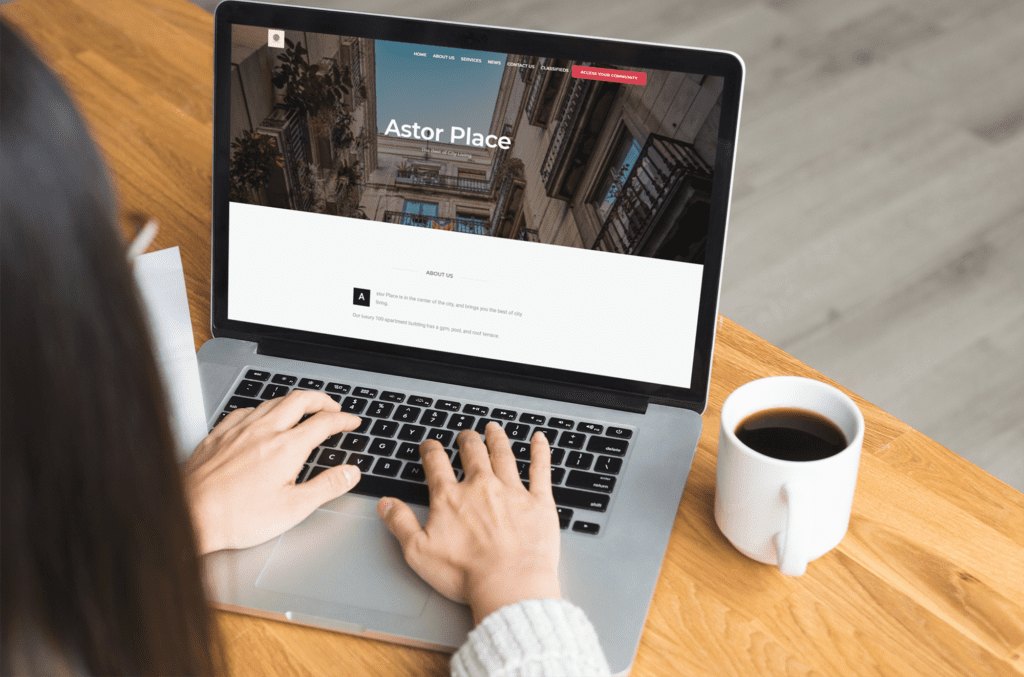
Pictures serve as a wonderful visual aid. They break up long blocks of text and make the pages more enjoyable to read. Photos help prospective buyers see the beauty of your neighborhood.
The Don’ts of Imagery:
- Don’t use blurry or dark photos. High-quality images show that you take pride in the property.
- Don’t post photos of residents without their permission. Always ask first to respect their privacy.
Show off your clean tennis courts, the new playground equipment, or the blooming flowers in the common areas. These images create a sense of belonging and community pride.
Include Essential Documents
A resident portal is the best place to store the files people need every day. This includes ARC forms, pet regulations, and parking rules. Making these available 24/7 saves the property manager from answering the same questions over and over.
The Don’ts of Documents:
- Don’t post sensitive financial records on public pages. Keep bank statements and private audits in a secure, password-protected area.
- Don’t forget legal requirements. For example, the Florida Website Law mandates that certain associations post specific digital documents online.
Staying compliant with state laws protects the board from legal trouble. It also shows the community that you are running the association with transparency and care.
Why a Professional Site Matters
A modern website is the best tool for any board. It reduces the stress of daily operations and builds a stronger bond with your neighbors. While 74% of residents say their community manager provides value, a great website helps that manager do their job even better. You can collect online payments, track maintenance requests, and send emergency alerts with just a few clicks.
Your site does not need to be complex or expensive. It just needs to be a helpful resource for the people who live in your community. When you focus on usability and great content, you create a space that truly feels like home.
Create a Better Connection Today
Are you ready to build a site that your neighbors will love? You can see how easy it is to manage your community with the right tools. Check out our guide on the best hoa websites for more inspiration.If you want to save time and reduce stress for your board, schedule your free demo of Neigbrs by Vinteum today. We are here to help your community thrive.
Frequently Asked Questions
What is the difference between a community association website and a resident portal?
A community association website is public and shows off the neighborhood to the world. A resident portal is a private, password-protected area where homeowners pay dues, see their account balances, and download sensitive files. Most hoa website software includes both to keep the community organized and secure.
What makes a community association website easy to use?
A usable site has a simple layout, large text, and a clear menu. It should allow residents to find what they need in two clicks or less.
What content should a community association website include?
You should include recent news, a community calendar, maintenance updates, and amenity hours. Adding photos of the neighborhood also helps.
What documents should and should not be on a community association website?
You should post rules, forms, and meeting minutes. You should not post private financial records or personal resident data on public pages.
Does a community association website need to be mobile-friendly?
Yes. Most residents check for updates on their smartphones. The text and buttons must work well on small screens.
How often should a community association website be updated?
You should post new information at least once a week. Keeping the content fresh gives residents a reason to visit the site regularly.
Can a community association website help attract prospective homebuyers?
Yes. A professional site shows that the community is well-managed and active. It can even help homes sell at a premium compared to non-HOA areas.